
A sign, exhibition label or printed leaflet may stay in use for years, while the information behind it changes. Geotour’s dynamic QR code system addresses this practical problem: the printed code stays the same, and its destination can be updated from a dashboard.
I developed the system as part of Geotour Crete, my ongoing project for documenting Crete’s cultural heritage, history, people and natural environment. It provides another way to reach that material from a physical place or a printed object. It can also link to pages outside Geotour.
What makes the code dynamic
The QR pattern contains a stable address on qr.geotour.gr, associated with its own identifier. When the link is opened, the system records the opening and redirects the visitor to the chosen page. The destination is managed separately from the printed pattern.
If a page moves or a different resource becomes more useful, the destination can be changed for every printed copy of that code. Updating the content of the destination page is another option: the same exhibition label, for example, can lead to an article that gains photographs, references or a translation over time.
Choosing a destination
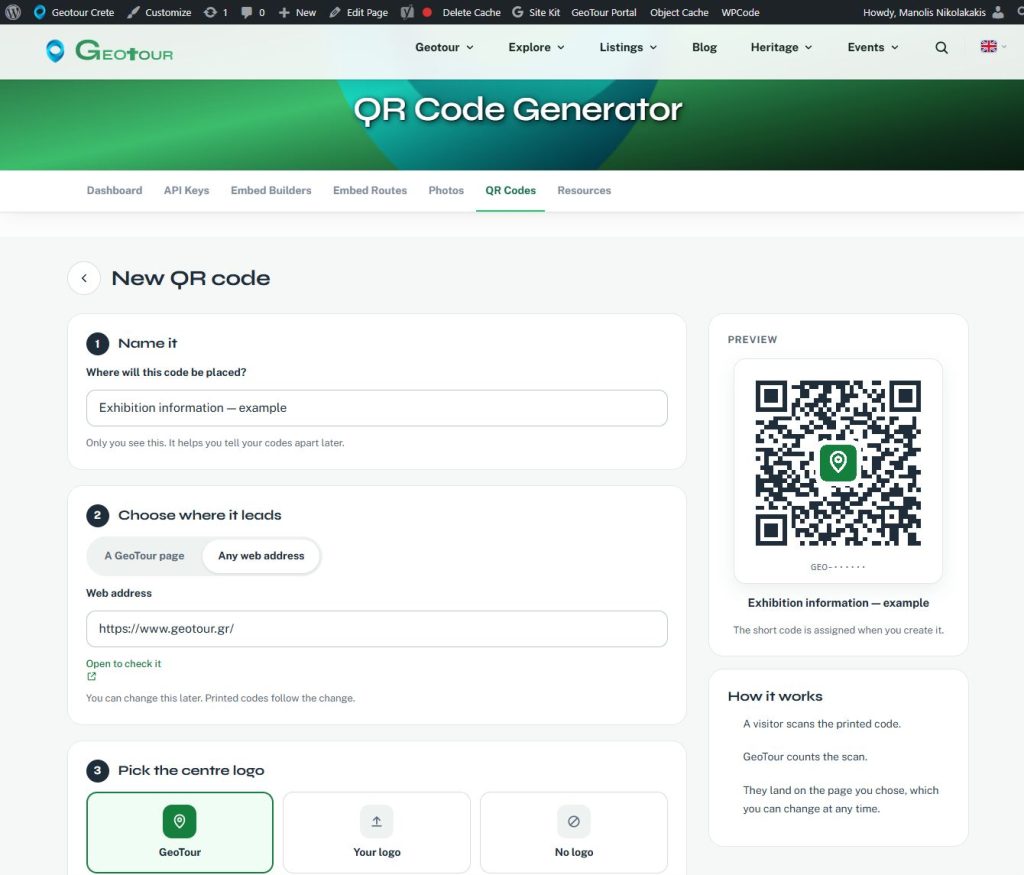
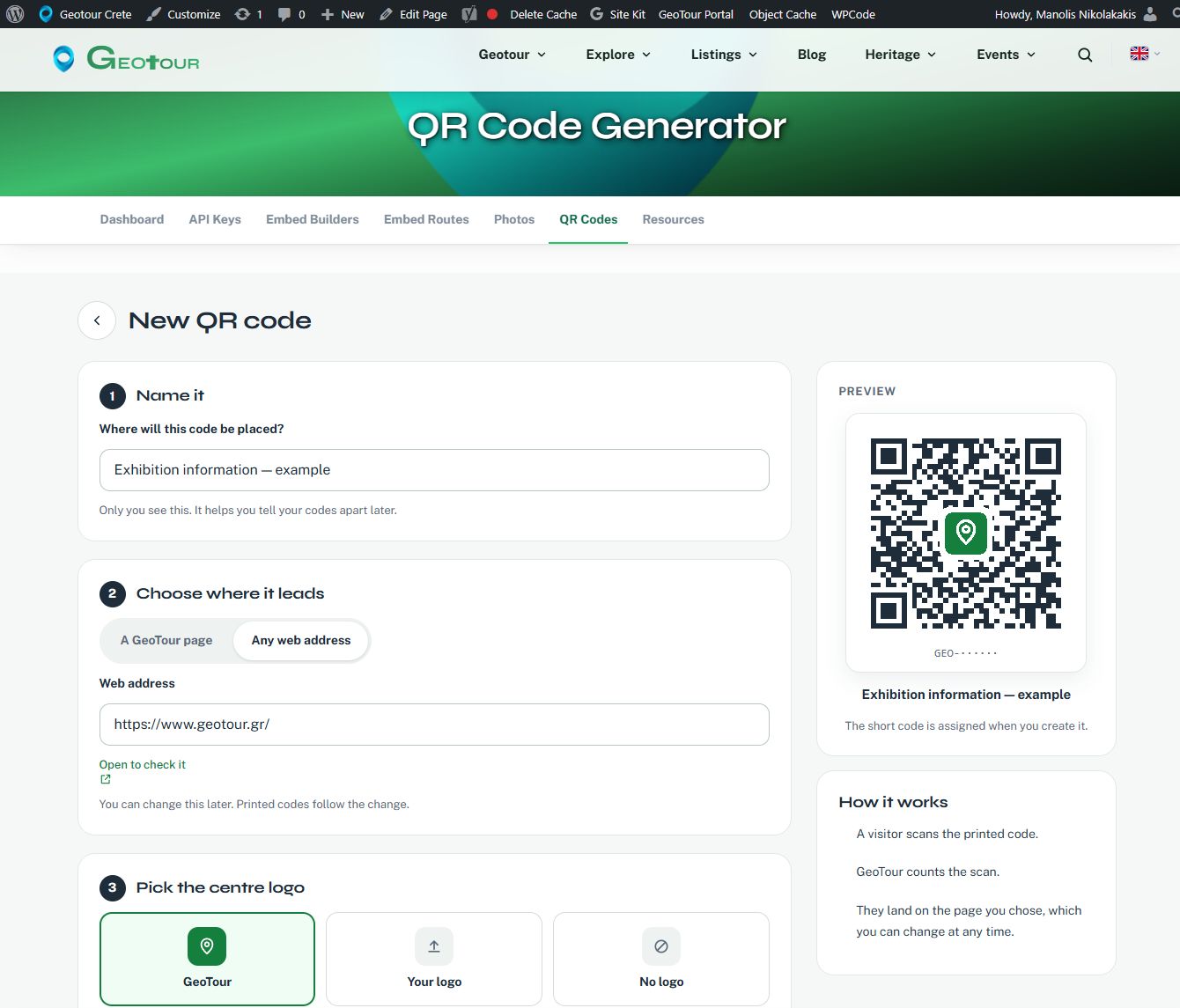
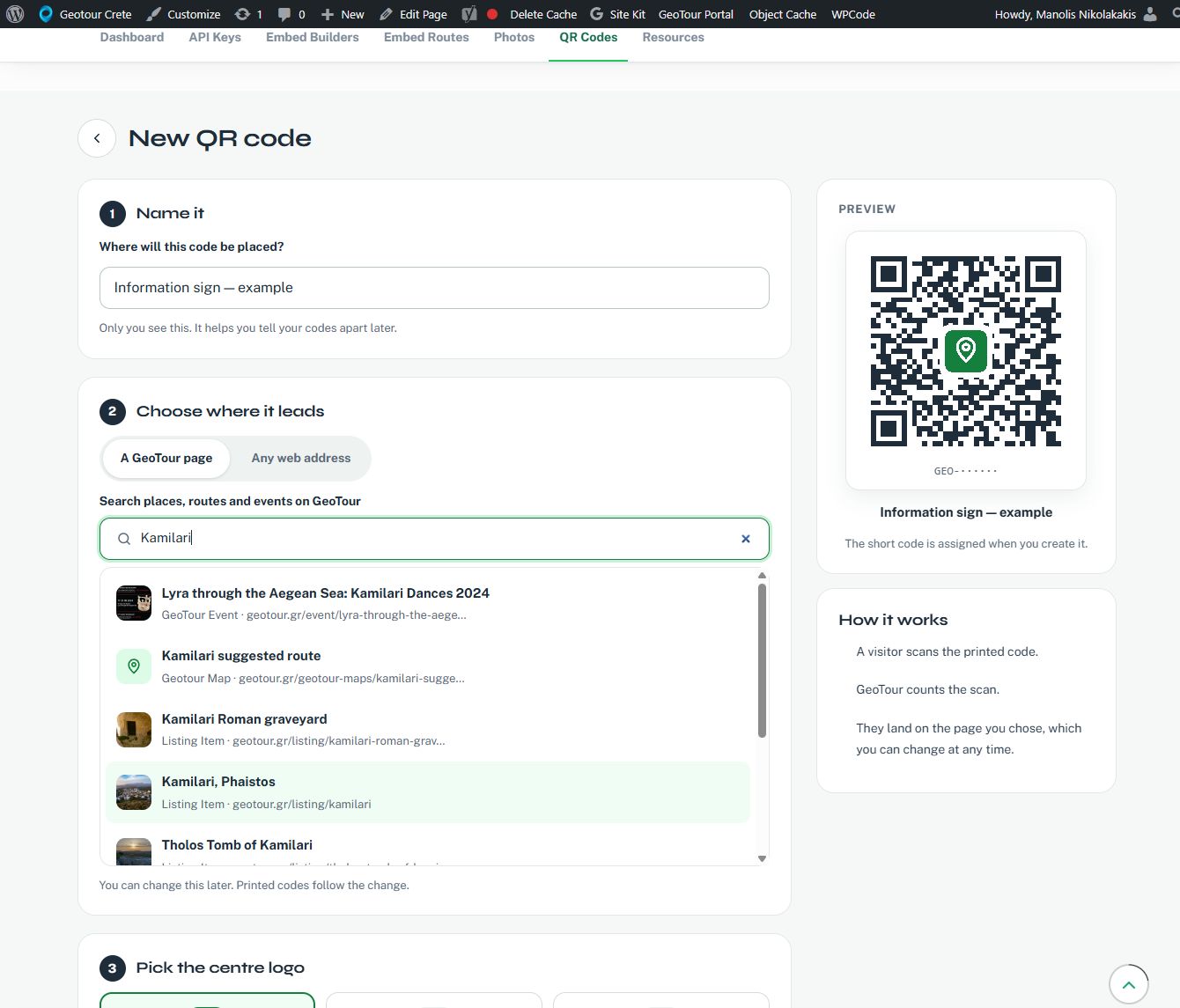
The generator offers two ways to choose where a code leads. A GeoTour page searches the site as you type and presents matching entries with their titles, types and addresses. This makes it possible to select a place, route, event or other available content without finding and copying its URL first. Any web address accepts an HTTPS address for another destination.
A private name helps identify where each code will be used. The creation form also has a live preview and a choice of the Geotour logo, an uploaded logo or no centre logo.
Managing codes after printing
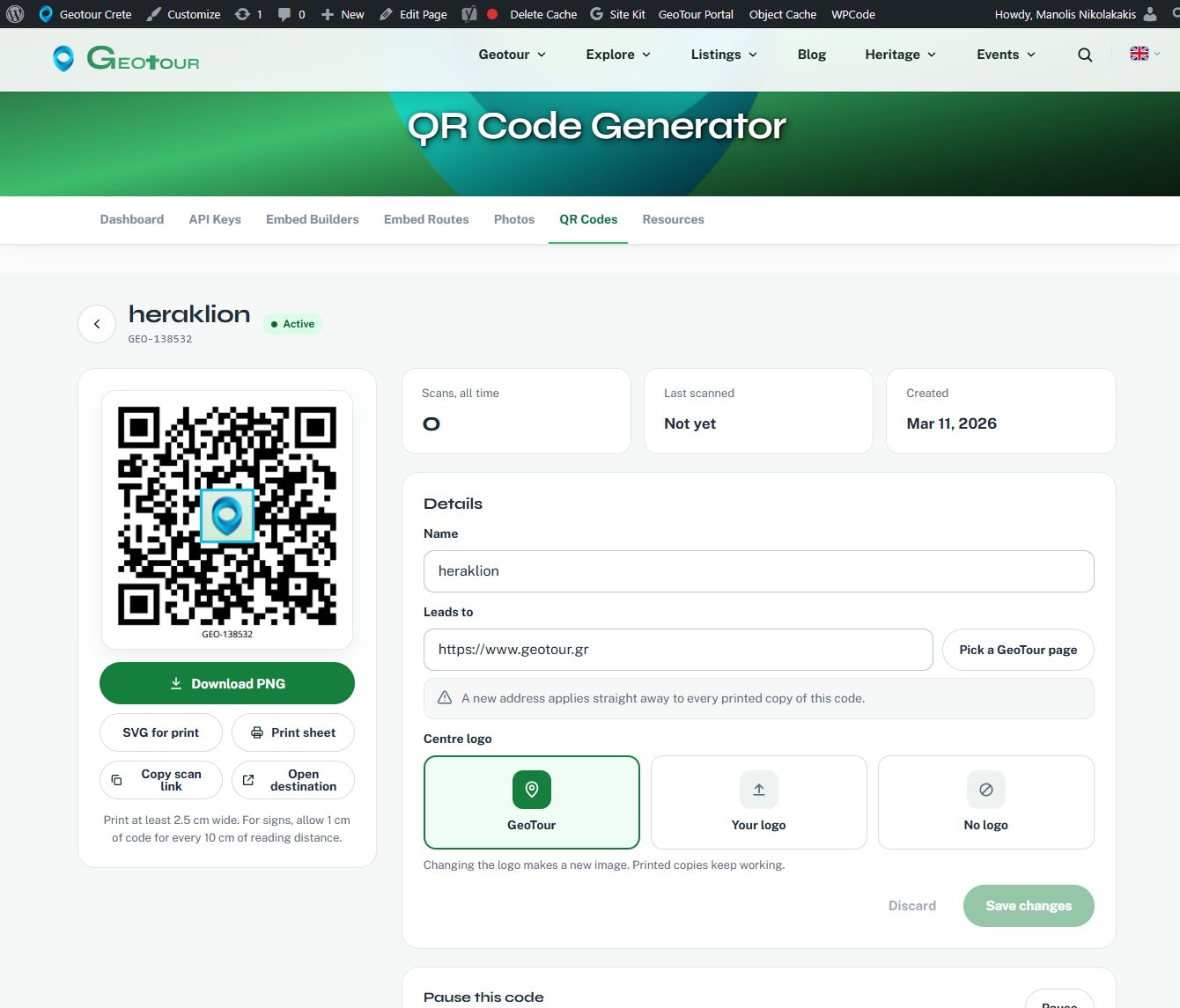
The dashboard lists codes with their destinations, status and scan counts. Search, status filters and sorting help find a particular code. Its details page brings together the destination, logo options, downloads and controls for pausing or resuming it.
A code can be downloaded as a PNG image or an SVG file for print. There is also a print sheet with several sizes. Changing the logo produces a new image for future printing; existing printed copies continue to use the same managed link.
Pausing a code displays a temporary-unavailability message until it is resumed. Deleting it is permanent and leaves printed copies without a working destination, so an existing installation needs particular care.
Possible uses beyond village signs
The tool is not tied to one type of place or organisation. Possible uses include:
- Heritage and exhibitions: a label beside a building, photograph or object could open documentation, archive images or related material.
- Routes and the natural environment: a board could link to a route page, a map or information about the landscape.
- Events and education: posters, handouts or activity sheets could lead to an updated programme, background reading or teaching material.
- Accommodation and local businesses: a room folder, menu or information card could open practical information or selected places nearby.
- Publications and photography: a printed page could connect a photograph or short text to a fuller online record.
These are possible applications, rather than a list of completed installations. The useful destination depends on the context, and someone still needs to maintain the information. Any later change should remain consistent with the label beside the code.
Counts and practical limits
Each code shows its total openings and when it was last scanned. These figures are not a count of individual people: repeat openings and test scans also count. The current interface does not provide a breakdown by date or location.
Visitors do not need a Geotour account to follow a code, but they do need a suitable phone and an internet connection to open the destination. Management requires a signed-in account with QR access enabled; account limits may apply.
Before producing a print run, test a printed proof with different phones and at the intended reading distance. Keep good contrast and the clear border around the pattern. A short description and a readable web address beside it help explain what it opens and provide another way to reach the information.
The QR system is one component of the broader Geotour project. Its role is straightforward: keep a manageable connection between printed material and information that continues to develop.
Open the Geotour QR Code Generator · Read about the Geotour Crete project