
Field documentation is part of how I develop Geotour Crete. A visit may produce photographs, panoramas, video, a route recording and observations about a place. The practical task is to keep that material connected to the correct record and bring it back in a form I can review.
The Geotour field app is an Android companion for that work. It brings a copy of the website’s catalogue onto the phone, lets me enrich an existing record or create a new local entry, and exports the material for later editing.
From the website to the field and back
- Read the catalogue: synchronise the app with geotour.gr while a connection is available.
- Record locally: select a place and attach observations, photographs, video, voice notes and location information.
- Export for review: bring the material back as a structured ZIP package, review it and prepare any website updates separately.
The catalogue connection is read-only. The app does not directly publish to or overwrite Geotour’s live entries. Deleting a local field entry is also separate from deleting a record on the website.
The workflow is designed for places with limited mobile coverage. Before a visit, synchronise the catalogue and check the functions you need on the actual device. Synchronisation needs a connection; map backgrounds and live speech recognition can depend on downloaded resources and the device’s services.
The four main screens
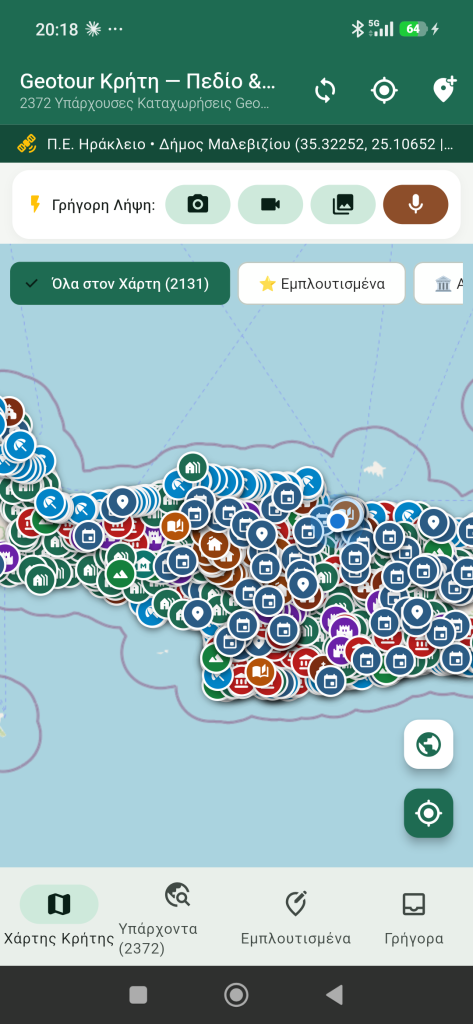
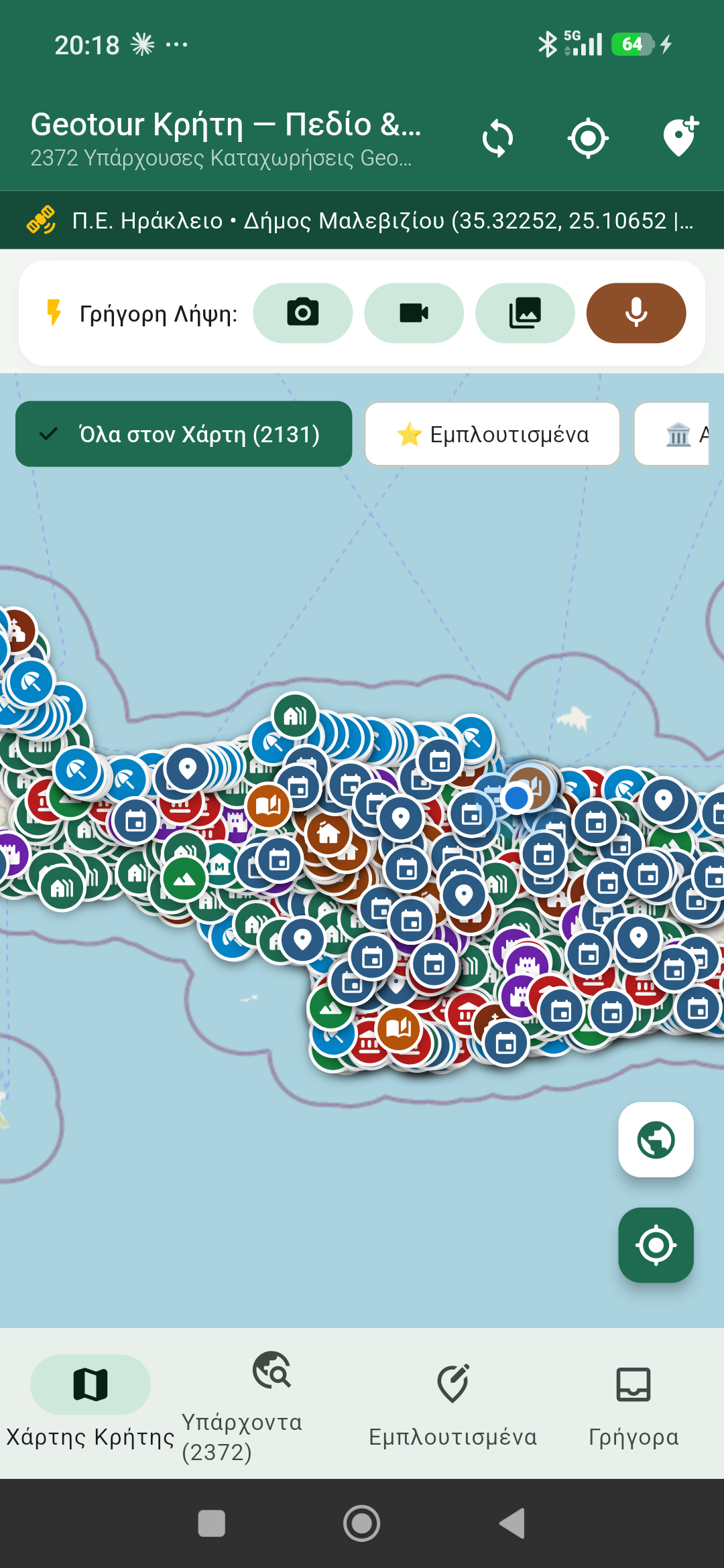
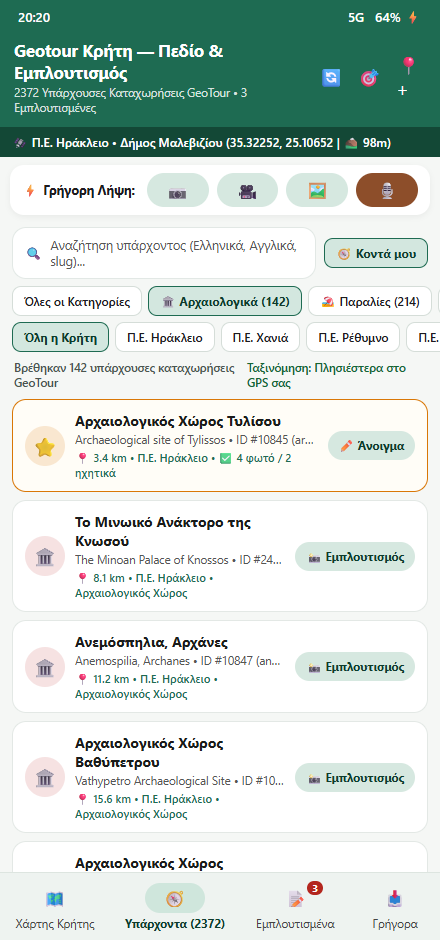
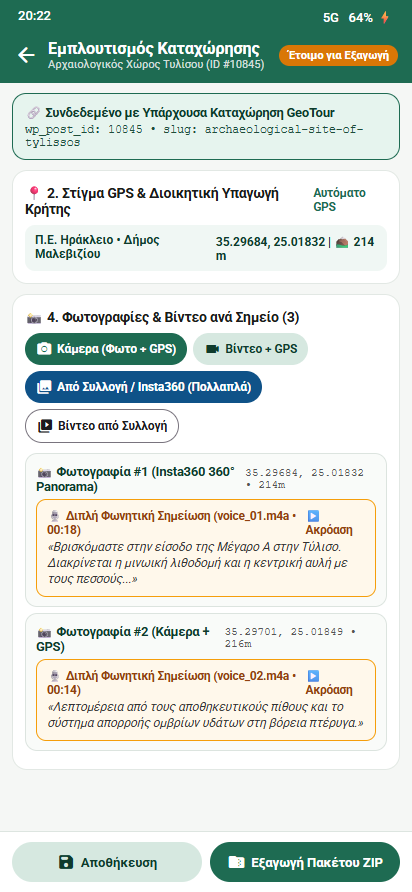
The screenshots below show the app in October 2026. They display a catalogue of 2,372 records, with 2,131 located records on the map. These figures describe that catalogue snapshot and will change as Geotour develops. Tap a screenshot to open it at full size.
1. Prepare the app before a visit
With the app installed on a compatible Android device, synchronise the catalogue while connected. Allow location, camera and microphone access for the functions you intend to use, then make a short test recording and export.
The top bar contains the catalogue-sync control, a GPS refresh control and the option to create a new local entry. The location banner shows the position, altitude and administrative area when that information is available. The «Γρήγορη Λήψη» bar provides shortcuts for photographs, video, gallery imports and voice notes; quick captures can be linked to a record later.
2. Find the existing record
«Χάρτης Κρήτης» — map of Crete
The map shows records with coordinates, using category colours and filters. Select a pin to inspect its summary and open «Εμπλουτισμός Καταχώρησης» to begin adding field material. Distance information depends on an available device position.
«Υπάρχοντα» — existing records
The catalogue provides an alternative to the map. Search in Greek or English, by a URL slug or by WordPress ID. Category, content-type and regional-unit filters narrow the results. «Κοντά μου» sorts located records by distance from the device.
The catalogue includes different kinds of Geotour content, not only landmarks: places, routes, events, people, heritage records, articles and other material. Selecting the existing record keeps its WordPress ID and slug attached to the field entry.
3. Add material in the entry workspace
- Check the record link: confirm the displayed WordPress ID, slug and title before recording.
- Photograph or record video: use the capture controls to associate media with the position recorded for that stop.
- Import existing media: use «Από Συλλογή / Insta360» for files made in another camera application. Importing attaches existing files; it is a different step from taking a new photograph inside the app.
- Add Greek voice notes: record a general observation for the place or a note attached to a particular photograph or video. The workflow keeps an audio recording alongside text transcription where available. Check the text against the recording, especially with wind, echoes, names and local terms.
- Record a route: use «Έναρξη GPX» when a track is needed. Position, distance and elevation readings are field observations to review, rather than a guarantee of measurement accuracy.
4. Review and export
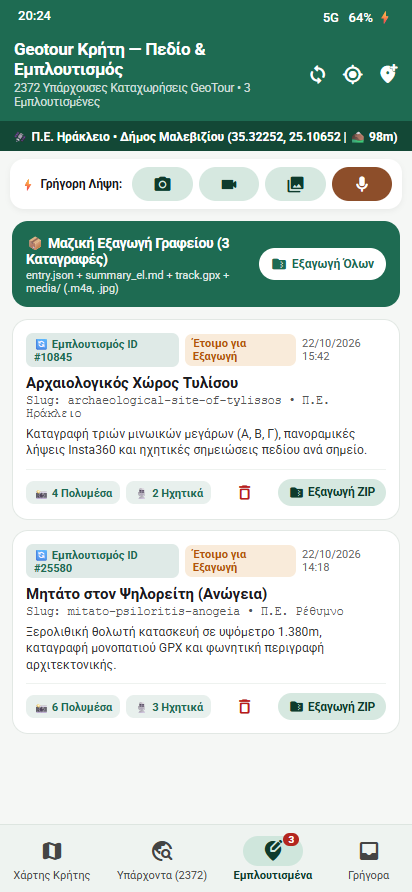
The «Εμπλουτισμένα» tab gathers locally enriched and newly created entries. Use «Εξαγωγή ZIP» for one entry or «Εξαγωγή Όλων» for the collected work.
The export is organised around the entry and may include:
entry.json— structured metadata, including record identifiers, positions, timestamps and notes;summary_el.md— a readable Greek field summary with notes and transcripts;track.gpx— the recorded route, when present;media/— attached photographs, video and audio files.
Transfer the ZIP to the computer, open it and check that the expected media and notes are present before clearing anything from the phone. Exporting is the handover to the editorial stage, not automatic publication.
Part of the Geotour project
The app supports the continuing documentation of Crete’s cultural heritage, history, people and natural environment. Its role is to organise observations in the field and connect them to the wider record. Selecting photographs, checking sources, correcting descriptions and preparing material for publication remain part of my work afterwards.
Read the Geotour project overview or follow the Geotour development articles on Panotours.